Avatar
Display users, models, and agents with flexible avatar components. Supports images, fallbacks, and consistent sizing to maintain visual identity across conversations.
Preview

 ?
? ?
? ?
?import { Avatar, AvatarFallback, AvatarImage } from "@/registry/avatar";
export function AvatarDemo() {
return (
<div className="flex justify-center gap-2">
<Avatar size="base">
<AvatarImage src="/avatar/adventurer-3819438560.svg" alt="adventurer" />
<AvatarFallback>?</AvatarFallback>
</Avatar>
<Avatar size="base">
<AvatarImage src="/avatar/adventurer-2092347183.svg" alt="adventurer" />
<AvatarFallback>?</AvatarFallback>
</Avatar>
<Avatar size="base">
<AvatarImage src="/avatar/adventurer-5647186927.svg" alt="adventurer" />
<AvatarFallback>?</AvatarFallback>
</Avatar>
</div>
);
}
Installation
pnpm dlx @arrowui/cli@latest add avatarUsage
import { Avatar, AvatarImage, AvatarFallback } from "@/registry/avatar";<Avatar size="base"><AvatarImage src={url} alt="User" /><AvatarFallback>NB</AvatarFallback></Avatar>Examples
Size
Use size on the root for small, base, medium, or large — image and fallback text scale together.
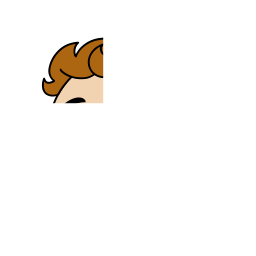 ?small?base?medium?large
import { Avatar, AvatarFallback, AvatarImage } from "@/registry/avatar";
const SIZES = ["small", "base", "medium", "large"] as const;
export function AvatarSizesDemo() {
return (
<div className="flex flex-wrap items-end justify-center gap-8">
{SIZES.map((size) => (
<div key={size} className="flex flex-col items-center gap-2">
<Avatar size={size}>
<AvatarImage
src="/avatar/adventurer-8361890372.svg"
alt="adventurer"
/>
<AvatarFallback>?</AvatarFallback>
</Avatar>
<span className="text-xs capitalize text-muted-foreground">
{size}
</span>
</div>
))}
</div>
);
}
Fallback
Show initials or a placeholder when there is no src or the image fails to load.
NBNo image
 404Load error
import { Avatar, AvatarFallback, AvatarImage } from "@/registry/avatar";
export function AvatarFallbackDemo() {
return (
<div className="flex flex-wrap items-end justify-center gap-10">
<div className="flex flex-col items-center gap-2">
<Avatar size="medium">
<AvatarImage src="" alt="" />
<AvatarFallback>NB</AvatarFallback>
</Avatar>
<span className="text-xs text-muted-foreground">No image</span>
</div>
<div className="flex flex-col items-center gap-2">
<Avatar size="medium">
<AvatarImage
src="https://example.invalid/does-not-exist.png"
alt=""
/>
<AvatarFallback>404</AvatarFallback>
</Avatar>
<span className="text-xs text-muted-foreground">Load error</span>
</div>
</div>
);
}
Props
Image uses a plain <img> so remote URLs work without extra Next image config. You can replace <img> with <Image> and add import Image from "next/image"; in registry/avatar.tsx (inside AvatarImage).